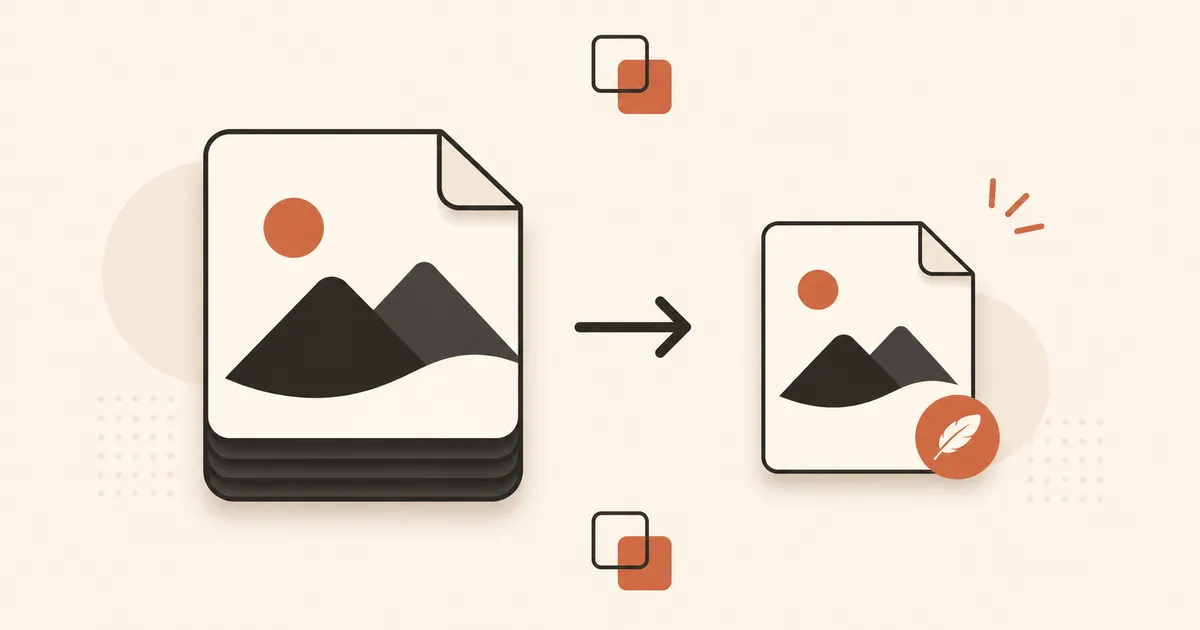
AVIF is the most efficient image format available for the web today. Derived from the AV1 video codec, it compresses photographic content 40 to 55% smaller than JPG at equivalent visual quality. That is roughly twice the savings you get from WebP.
If you are still serving JPG images on your website, switching to AVIF is the single highest-impact optimization you can make for page speed. This guide covers what AVIF is, how it compares to JPG, and how to convert your images.
What Is AVIF?
AVIF stands for AV1 Image File Format. It was developed by the Alliance for Open Media, a consortium that includes Google, Apple, Mozilla, Microsoft, Netflix, and Amazon. The format is based on the AV1 video codec, which was designed for high-efficiency compression.
Key features of AVIF:
- Superior compression: 40 to 55% smaller than JPG, 20 to 30% smaller than WebP at equivalent quality.
- 10-bit and 12-bit color depth: eliminates color banding in gradients, which is a common artifact in 8-bit formats like JPG.
- HDR and wide color gamut support: AVIF can encode colors outside the sRGB range, which matters for photography and high-end displays.
- Lossy and lossless modes: like WebP, AVIF supports both compression types.
- Transparency: full alpha channel support.
AVIF is royalty-free and open source. There are no licensing fees for using it.
AVIF vs JPG | Compression and Quality Compared
The compression advantage of AVIF over JPG is substantial and consistent across different types of photographic content.
| Metric | JPG (Q85) | AVIF (Q65) | Difference |
|---|---|---|---|
| File size (typical photo) | 400 KB | 180 KB | -55% |
| SSIM score (quality metric) | 0.95 | 0.95 | Equivalent |
| Color banding on gradients | Visible | None | AVIF wins |
| Fine texture preservation | Good | Excellent | AVIF wins |
At matched quality levels, AVIF produces dramatically smaller files. What makes this particularly impressive is that AVIF achieves this at lower quality number settings. An AVIF at quality 65 looks as good as a JPG at quality 85, while being less than half the size.
AVIF also degrades more gracefully at high compression ratios. Where JPG produces blocky, mosaic-like artifacts at quality 30, AVIF maintains smooth gradients and readable textures down to quality 40.
Browser Support for AVIF in 2026
AVIF support has matured significantly. As of 2026, global browser support stands at approximately 93%.
| Browser | AVIF support |
|---|---|
| Chrome 85+ | Yes |
| Firefox 93+ | Yes |
| Safari 16.4+ | Yes |
| Edge 85+ | Yes |
| Samsung Internet 14+ | Yes |
| Opera 71+ | Yes |
| IE 11 | No |
The remaining 7% consists primarily of older browser versions, some enterprise environments running outdated Edge, and a few minor mobile browsers. For most websites targeting a general audience, AVIF is safe to use with a WebP or JPG fallback.
The <picture> element makes this straightforward:
<picture>
  <source srcset="photo.avif" type="image/avif">
  <source srcset="photo.webp" type="image/webp">
  <img src="photo.jpg" alt="Description" width="800" height="600">
</picture>
The browser downloads only the first format it supports. No bandwidth is wasted on unsupported formats.
How to Convert JPG to AVIF Online
Converting a JPG to AVIF takes seconds with an online converter. No software installation required.
With Morphix:
- Go to the JPG to AVIF converter.
- Drop your JPG file on the upload area.
- Select your desired quality level (default is 75).
- Click Convert.
- Download your AVIF file.
The conversion runs instantly. Your original file is not modified, and no account is required for the free plan.
For batch conversion or integration into your workflow, the Morphix API supports AVIF output through a simple POST request.
What Quality Setting Should You Use?
AVIF quality settings behave differently from JPG. Because AVIF is more efficient, you can use lower quality numbers and still get excellent results.
| Quality | File size vs JPG Q85 | Visual result | Recommended for |
|---|---|---|---|
| 80-90 | -30 to -40% | Indistinguishable from source | High-fidelity, portfolios |
| 65-79 | -45 to -55% | Excellent, no visible difference at normal viewing | Default for web images |
| 50-64 | -55 to -65% | Good, minor softening on close inspection | Thumbnails, secondary images |
| 30-49 | -65 to -75% | Noticeable quality loss | Background images only |
| Below 30 | -75%+ | Significant degradation | Not recommended |
Quality 70 is the recommended default for most web images. This delivers the full compression benefit of AVIF while maintaining quality that looks identical to a JPG at quality 85.
One important note: AVIF encoding is slower than JPG or WebP encoding. For a single image in an online converter, this is not noticeable. For batch processing thousands of images in a pipeline, encoding time may be a factor to consider.
When AVIF Is Not the Right Choice
AVIF is the best format for photographic web content, but there are scenarios where other formats make more sense:
- Animated images: AVIF animation support exists but is limited. WebP or even GIF remain more practical for animations.
- Dynamic image generation: if your server generates images on the fly (like a CMS resizing images per request), the slow AVIF encoding time can become a bottleneck. Use WebP for dynamic pipelines.
- Simple graphics and icons: for flat-color illustrations, logos, and icons, the compression advantage of AVIF over WebP is minimal. WebP or SVG are simpler choices.
- Email and social sharing: email clients and social media crawlers do not consistently support AVIF. Use JPG for images embedded in emails or for Open Graph meta tags.
- Pre-existing optimized WebP: if your images are already in well-compressed WebP, the additional savings from AVIF may not justify the migration effort for smaller sites.
Convert Your Images to AVIF
Morphix converts JPG and PNG images to AVIF directly in your browser. No registration required for the free plan.
Convert JPG to AVIF | Convert PNG to AVIF | Convert AVIF to JPG